New Alerts for Manager Accounts
By David Marsden · Hamburger SV
Keeping Top 100 fair and active: squad limits, Gold and logins
Some of Top 100’s rules only work if someone notices when they’re broken. Until now, that someone was usually a sharp-eyed manager on WhatsApp or Discord, or nobody at all.
That’s changing. The admin team now regularly updates Top 100’s records, and uses AI to crunch the numbers. That gives us an up-to-date picture of the whole game world, so we can check a lot of things without waiting for a report, and tell people quickly when something needs fixing. (How we check in the rules explains it.)
The 50-player squad limit
Rule 4.1 has always said a club may have at most 50 players, and loans count both ways (a player you’ve loaned out still counts). The limit applies at all times, including between transfer turns. Soccer Manager’s own squad setting doesn’t enforce it.
This season showed why that matters. Olympique Lyonnais bought two young players who arrived on the same turn and took the squad to 51. A player was sold soon after to bring it back to 50, but the limit had already been broken. Another club went over and nobody noticed at all.
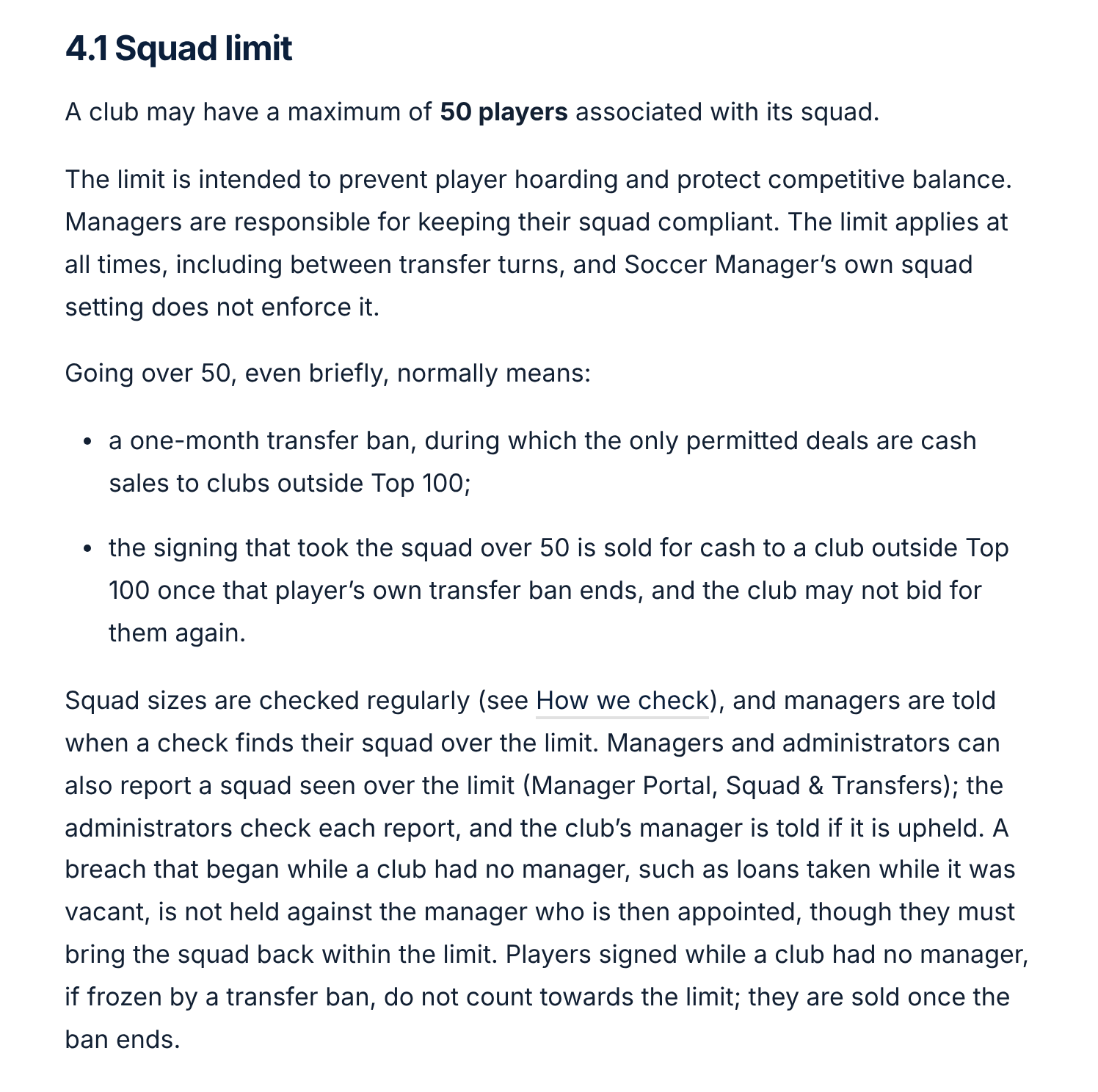
Rule 4.1 in the Top 100 rules.
So squad sizes are now checked at every update:
- If an update counts 51 or more players, the club’s manager gets an alert straight away, and so does the admin team.
- Anyone can report a squad over 50. Managers can do it from Squad & Transfers in Manager Portal. The admin team checks every report, and the club’s manager only hears about it if the report is upheld.
- If a club went over the limit while it had no manager, for example with loans taken while it was vacant, that’s not held against the manager appointed afterwards. They still need to bring the squad back within the limit.
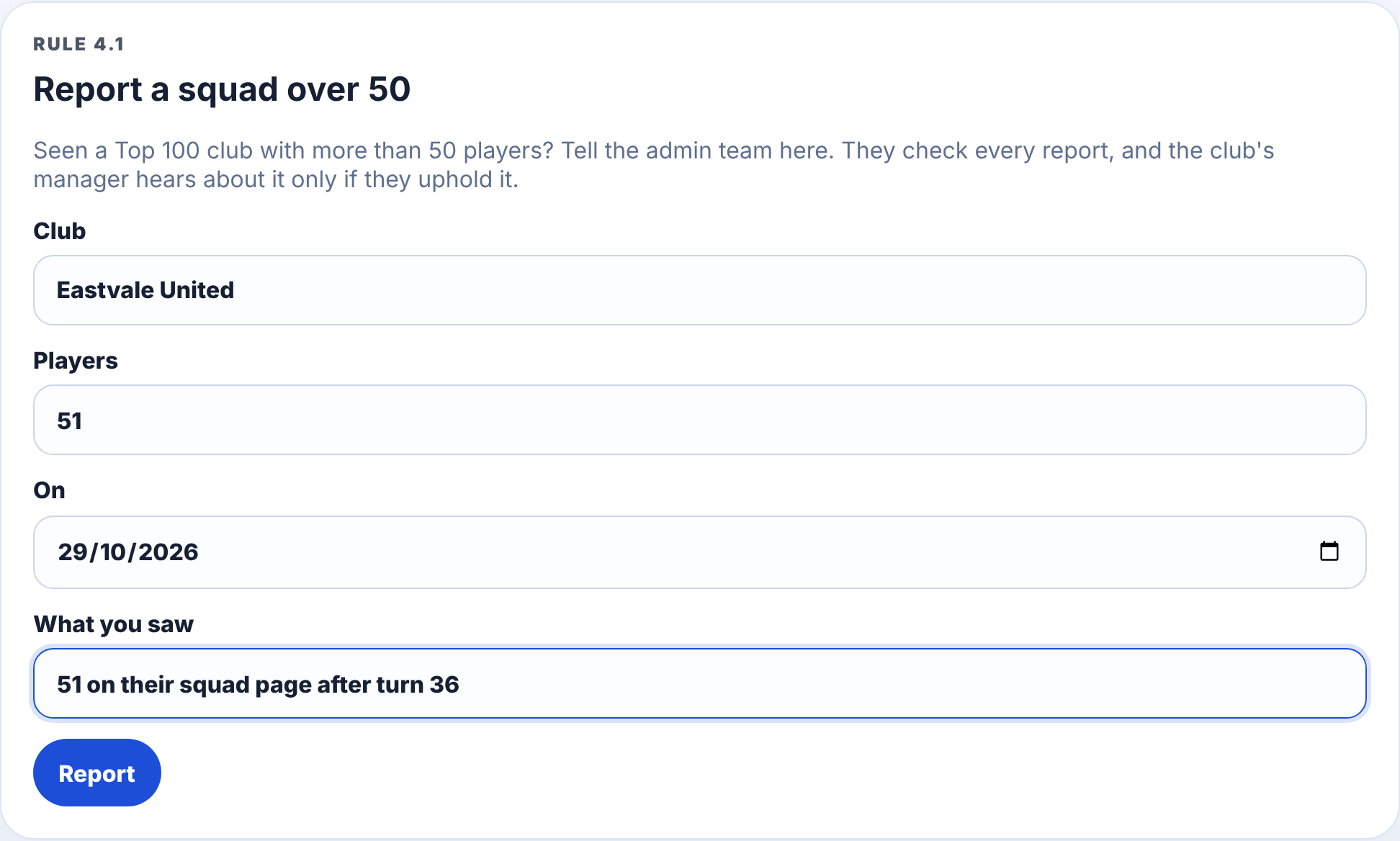
Reporting a squad over 50 in Manager Portal, under Squad & Transfers. Example club.
What happens after a breach
The Season 28 case set the standard sanction:
- A one-month transfer ban. During the ban the only deals allowed are cash sales to clubs outside Top 100.
- The signing that took the squad over 50 must be sold for cash to a club outside Top 100 once that player’s own Soccer Manager transfer ban ends, and the club can’t bid for them again.
(Soccer Manager bans a player from moving again for a week after a sale to an outside club, and for a month after a move between Top 100 clubs. That’s why a required sale has to wait.)
These follow-ups are tracked too. The admin team is told when a squad is back within the limit, when a banned club makes a deal it shouldn’t, and when a required sale has been made, or made the wrong way.
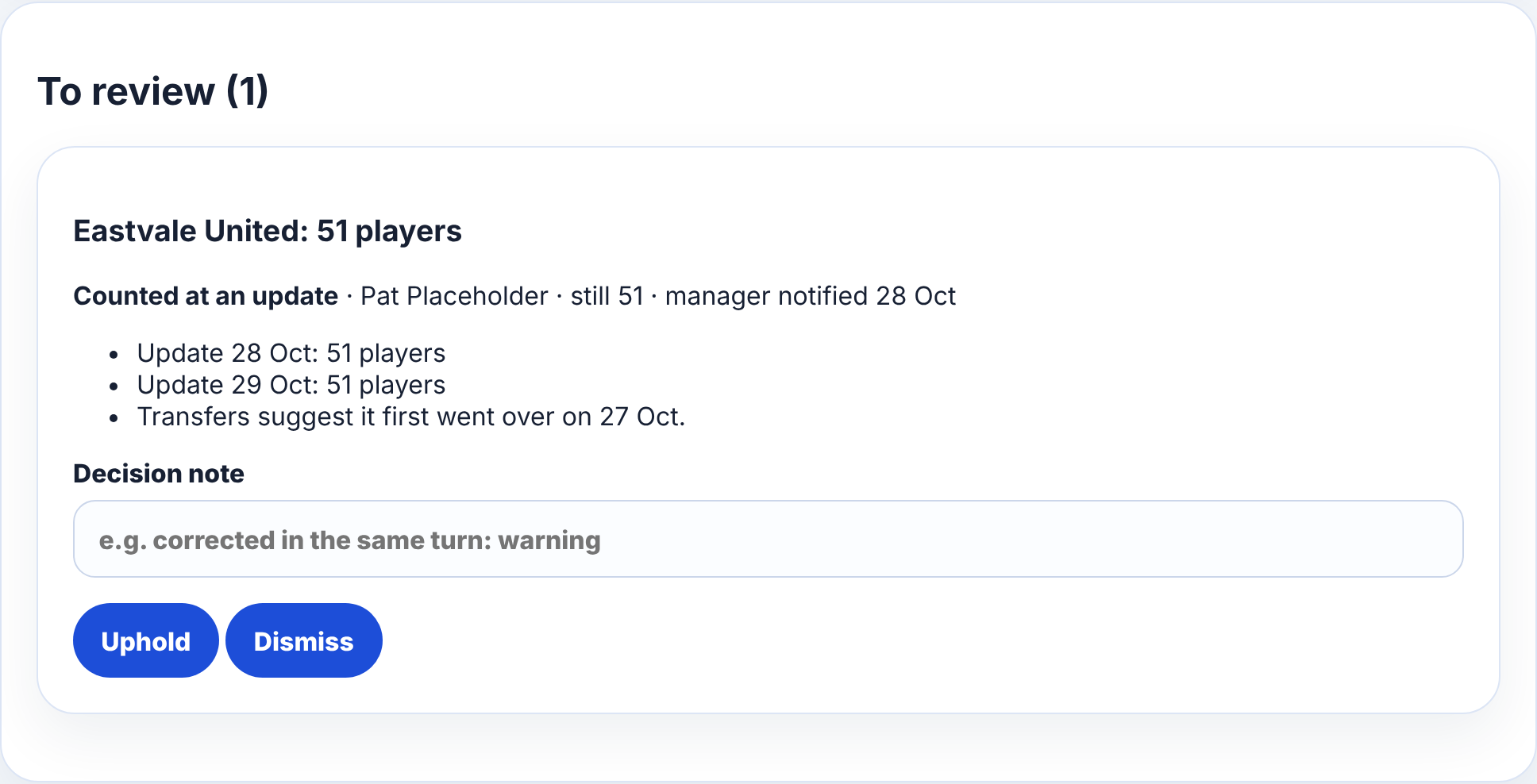
A breach waiting for the admin team’s decision, with the evidence from each update. Example data.
Gold membership and logins
Soccer Manager removes a manager after ten days without logging in. By the time anyone notices, it’s usually too late, and the club is suddenly without a manager.
So we’re adding alerts for two things:
- Logins. If a manager hasn’t logged in for 7 days, they get a reminder and the admin team gets a heads-up, three days before Soccer Manager would act. At 10 days, the admin team is told. Irregular logins also count as inactivity at the end-of-season review: two or more spells of 7 days or more without logging in during a season means a manager isn’t reappointed.
- Gold membership. Every Top 100 manager must be a Gold member, including anyone applying for a club or being reappointed after a bottom-three finish. We keep an eye on Gold membership, so you’ll get a reminder 14 days and again 7 days before your Gold runs out, in time to renew, and the admin team will hear if it lapses.
Who gets the alerts
Alerts go to the Top 100 admin team: David Marsden, Regan Thompson (Hertha BSC), Hugo Costa (Celtic) and Chris Meida (CSKA Moskva). They all now have an alerts page showing squad limits, follow-ups, Gold and logins in one place.
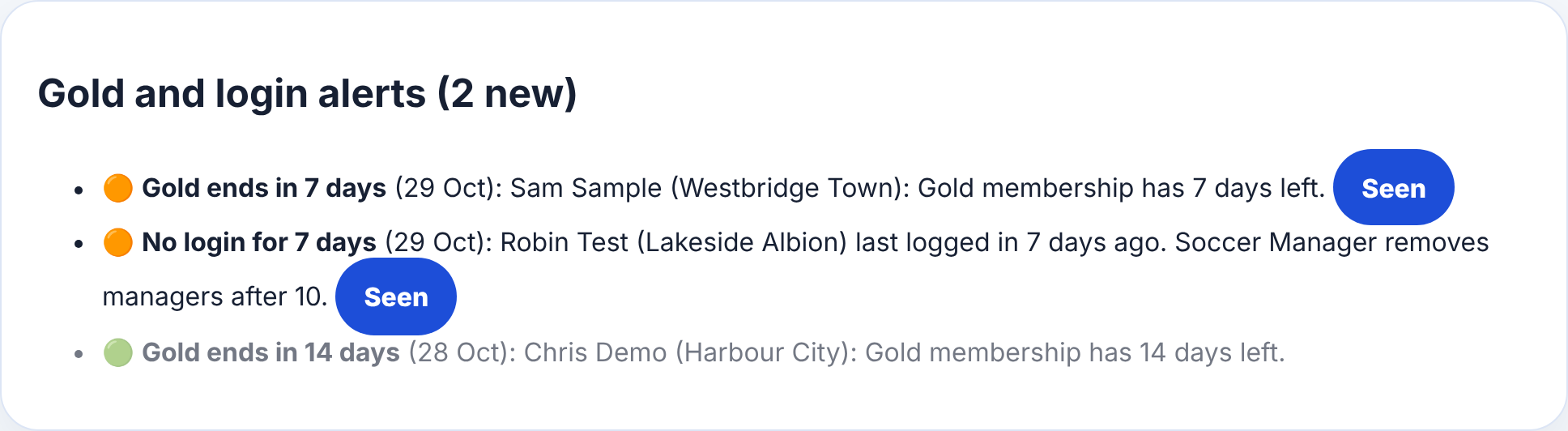
The admin team’s alerts page. Clubs and managers here are examples.
Alerts to managers come through your Manager Portal account, as reminders do, so make sure you’ve claimed yours. Compliance alerts can’t be switched off.
The live table in Stats & History
One more thing the regular updates have made possible. At the end of every season, the league tables used to be copied by hand into the spreadsheet behind Stats & History.
Now Stats & History shows the current season live, straight from the latest update, alongside the full history.
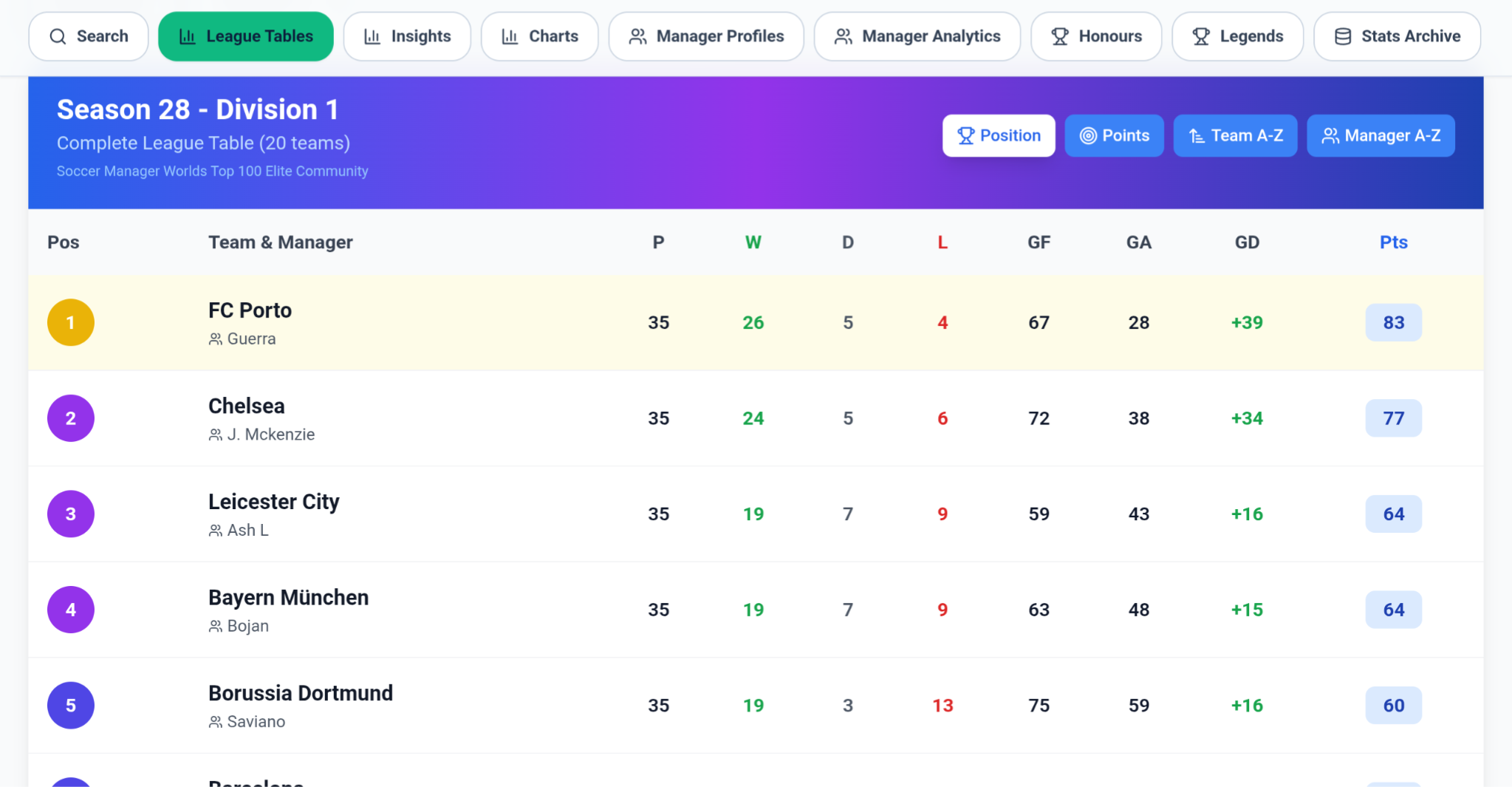
Season 28 in Stats & History, live from the latest update. Titles, promotions and sackings only count once all 38 games are played, so a club top of the table with three games left doesn’t get a title it hasn’t won yet. At the end of the season, the final table can be downloaded ready for the history sheet, so nothing is copied by hand.
The same data, together with each squad’s strength, feeds the reappointment and appointment scores and the Manager of the Season nominations.
Rules first, tools second
Most of this doesn’t change the rules themselves. The squad limit, activity expectations and Soccer Manager’s own login rules were already there. The new requirements are Gold membership and regular logins for reappointment (rule 3.1). What’s changed is that everything is now checked the same way for everyone, and quickly enough to fix things before they turn into sanctions.
If you spot something that doesn’t look right, a missing alert or one that shouldn’t have been sent, tell the admin team. The rules are sections 3.1 and 4.1, and every change is listed in the rules’ change record.
Previous: how vacancies and appointments work.